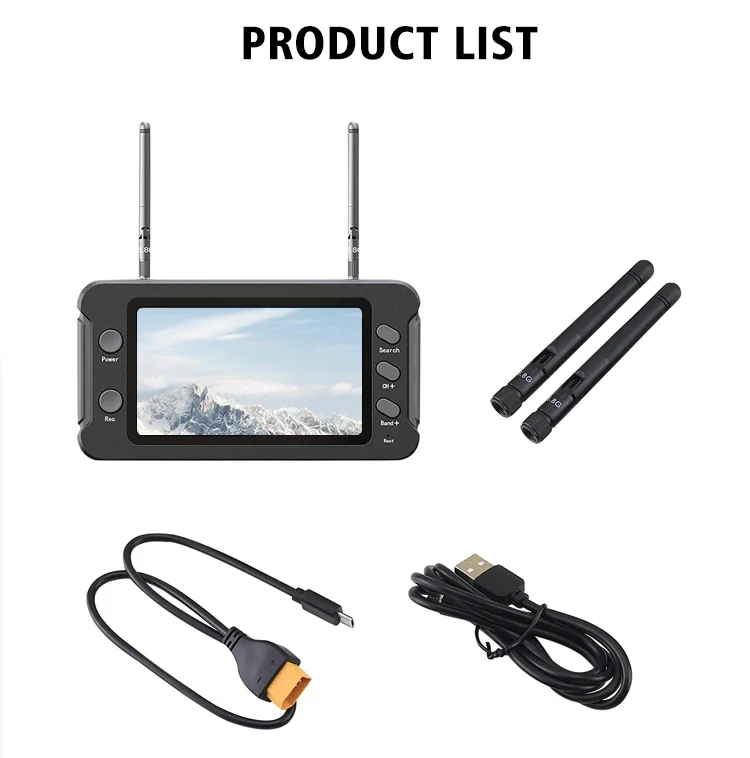
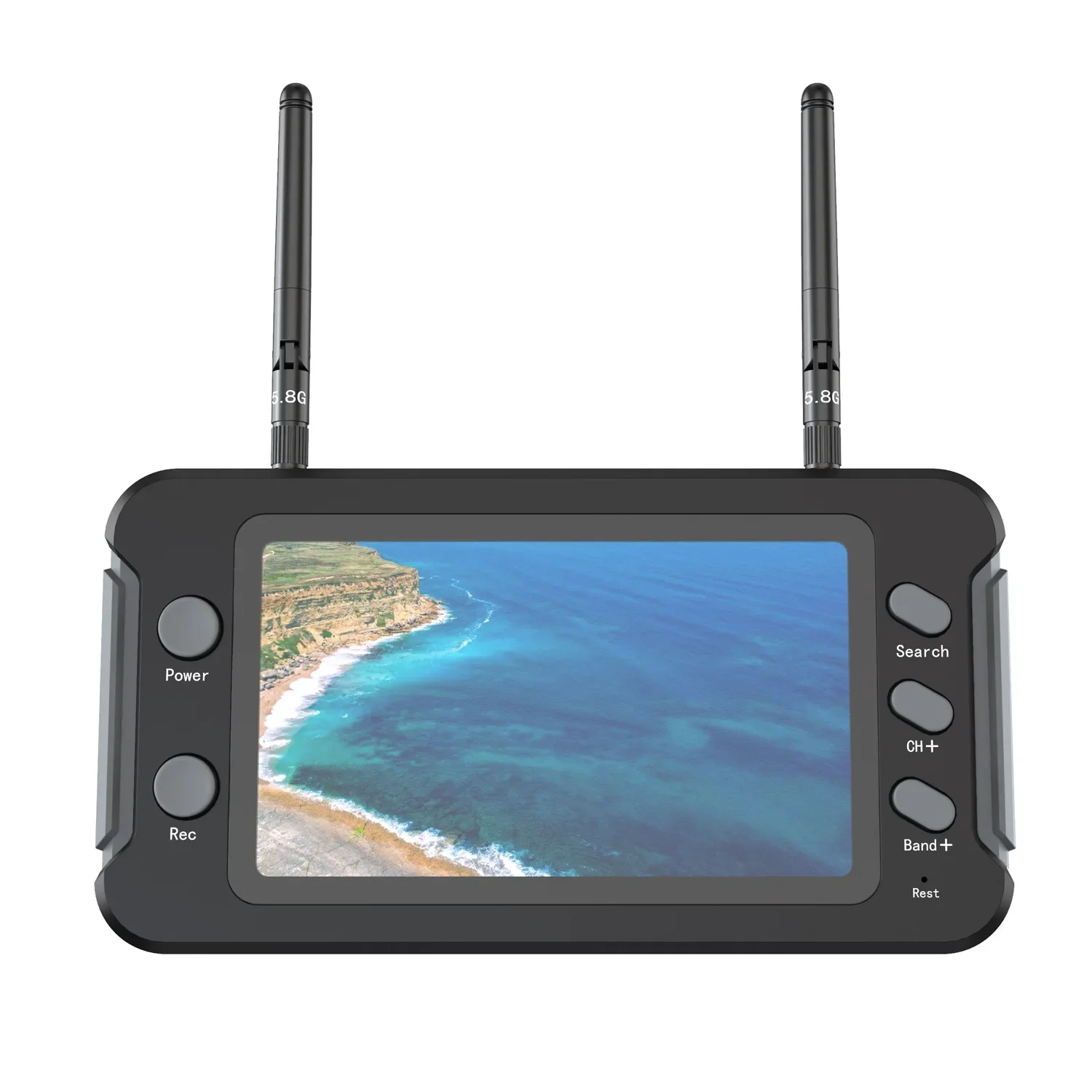
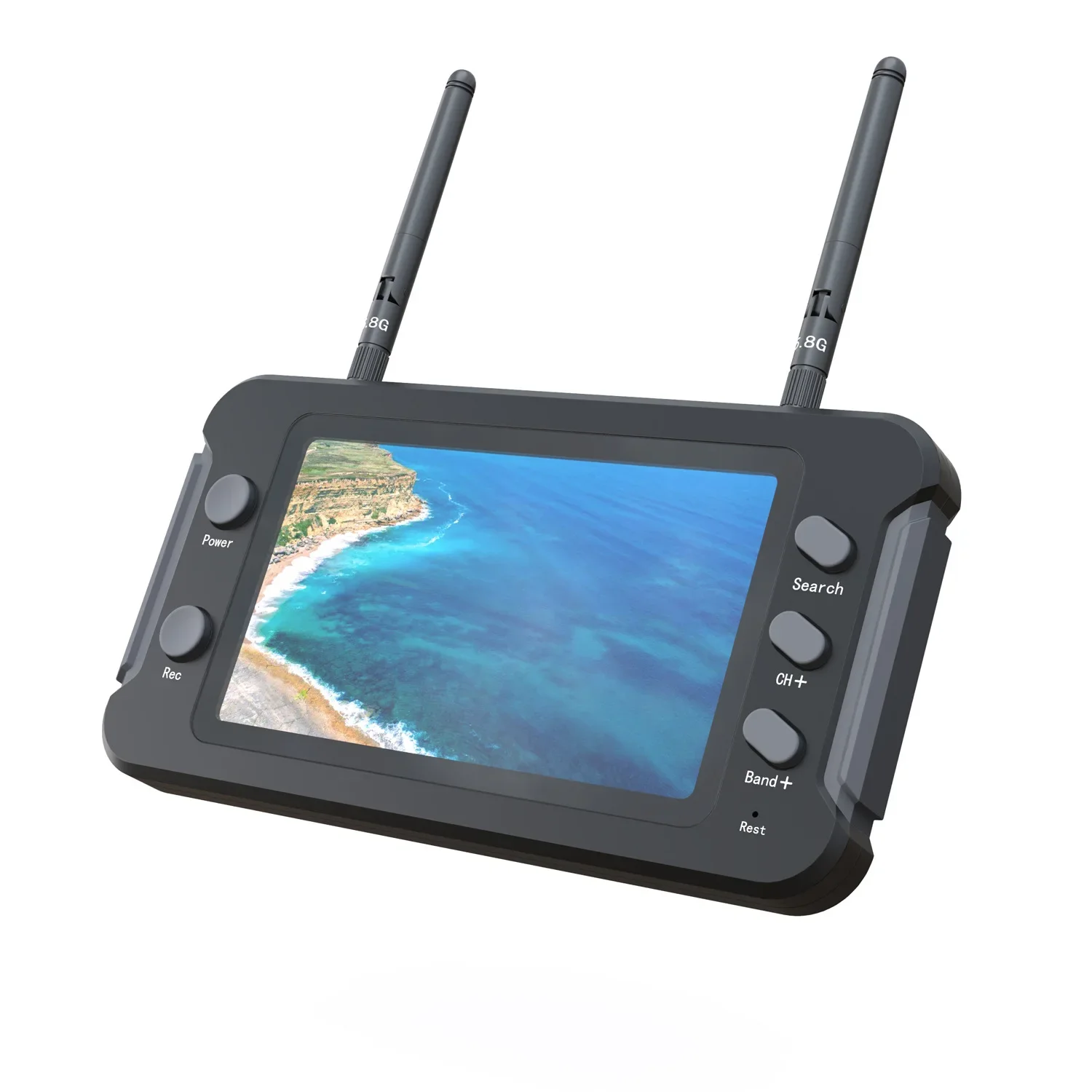
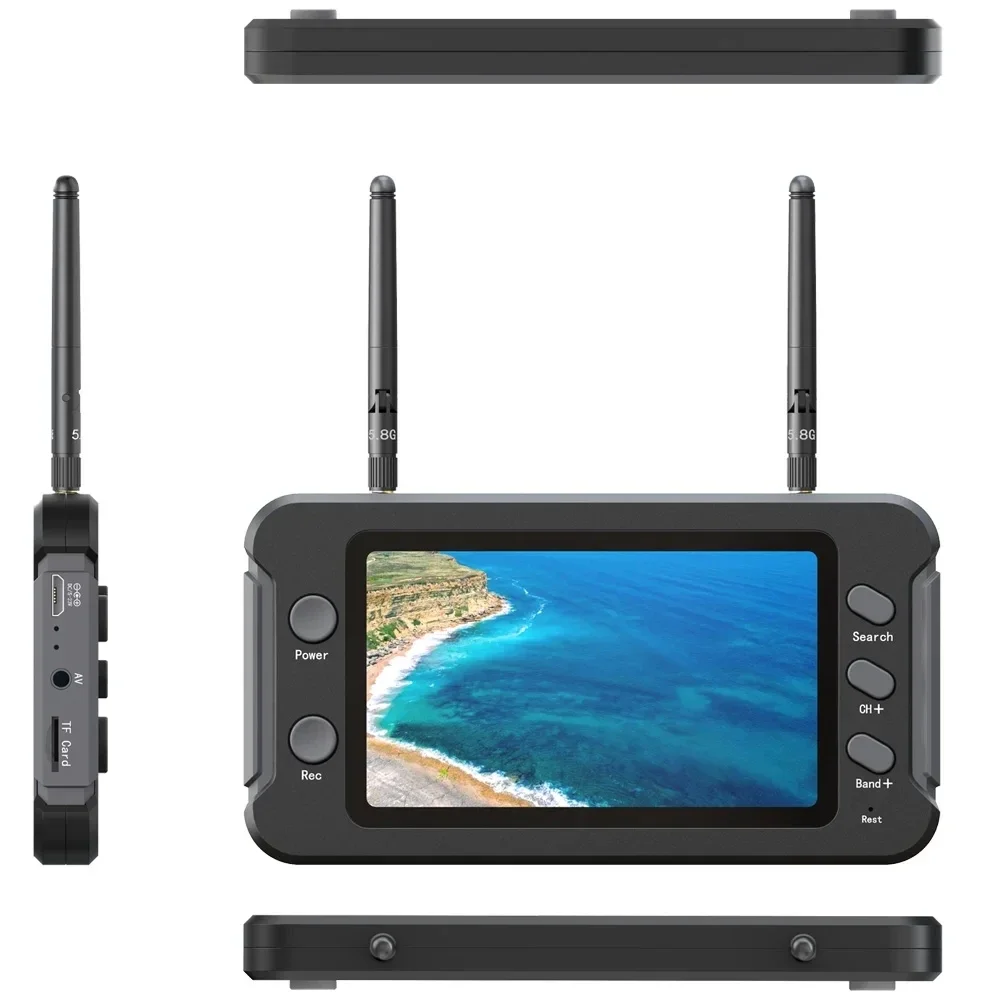
5.8G FPV handheld screen manual
DVR recording
Features:
Low power consumption
One-click automatic channel search
Can record anytime and anywhere
Dual antenna reception can make the signal more stable
4.3 inch 800*480 high-definition bright screen
Built-in super sensitive 5.8G 40 channel receiver
Built-in 3.7V/1200mAh high-capacity polymer lithium battery
Universal usb charging interface
Real-time video, low latency
Chinese and English bilingual menu
Support audio and video input
Expenditure audio output (headphones can be connected)
Support 5-23V wide voltage charging
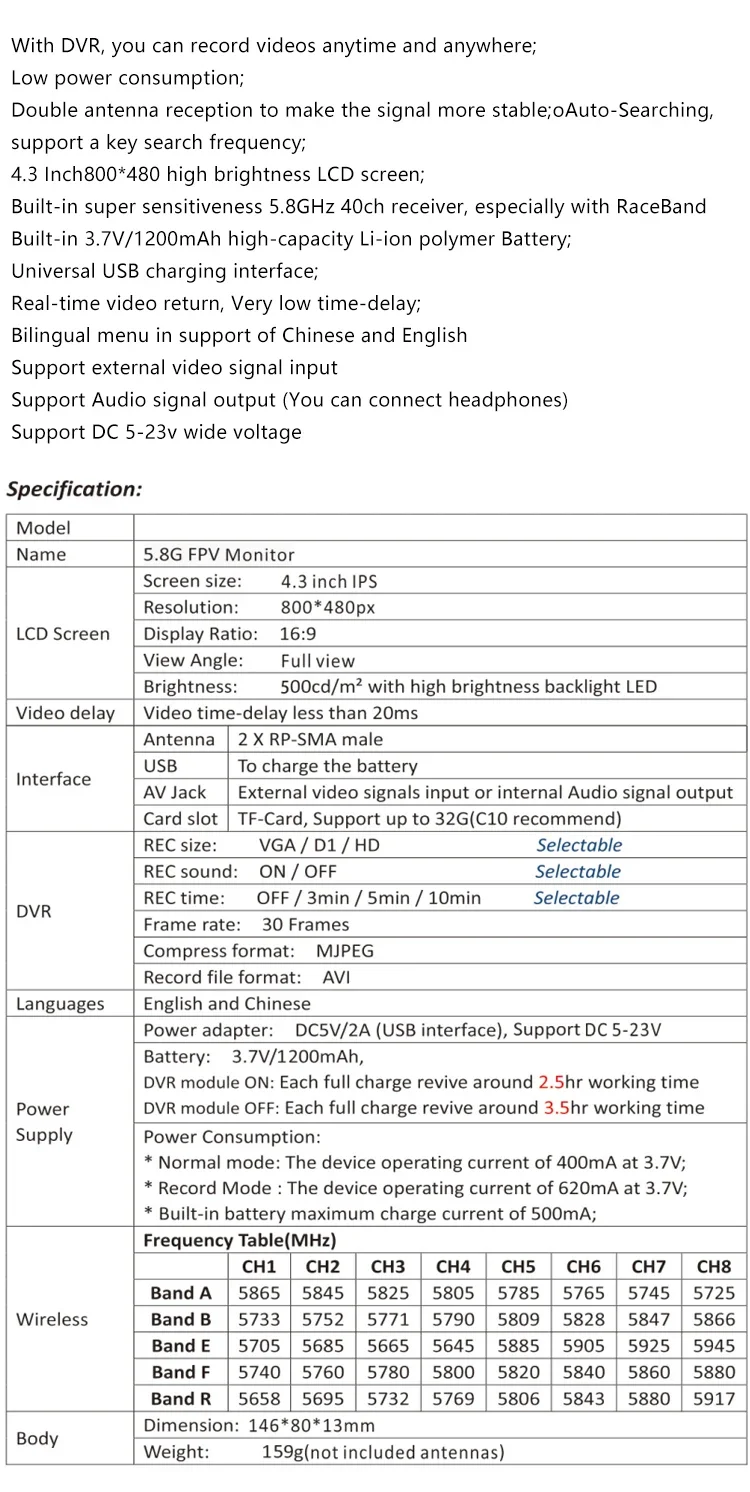
Specification:
LCD screen size: 4.3 inches
Resolution: 800*480
Display ratio: 16:9
Viewing angle: full screen
Brightness: 500cd/m2
Video delay: less than 20ms
Interface Antenna: 2*RP-SMA male hole
USB: charging cable
AV interface: external audio and video input or audio output
Card slot: Support C10 high speed TF card
DVR recording size: VGA/D1/HD (three modes are optional)
Video sound: on/off (optional)
Recording time: off/3 minutes/5 minutes/10 minutes (optional)
Frame rate: 30 frames
Compression format: MJPEG
Video file format: AVI
Languages: English and Chinese
Power supply Power adapter: DC5V/2A, support DV5-23V wide voltage
Battery: 3.7V/1200mAh,
After the DVR starts, it can be used for about 2.5 hours on full battery
DVR is off, about 3.5 hours with full battery
Power consumption:
Normal mode: the device works at 3.7V and the current is 400mA
Recording mode: The working current of the device is 620mA at 3.7V
The maximum charging current of the built-in battery is 500mA
Wireless channel table
Body size: 146*80*13mm
Weight: 159g (not including antenna)
Note: video input cannot be recorded from the AV port
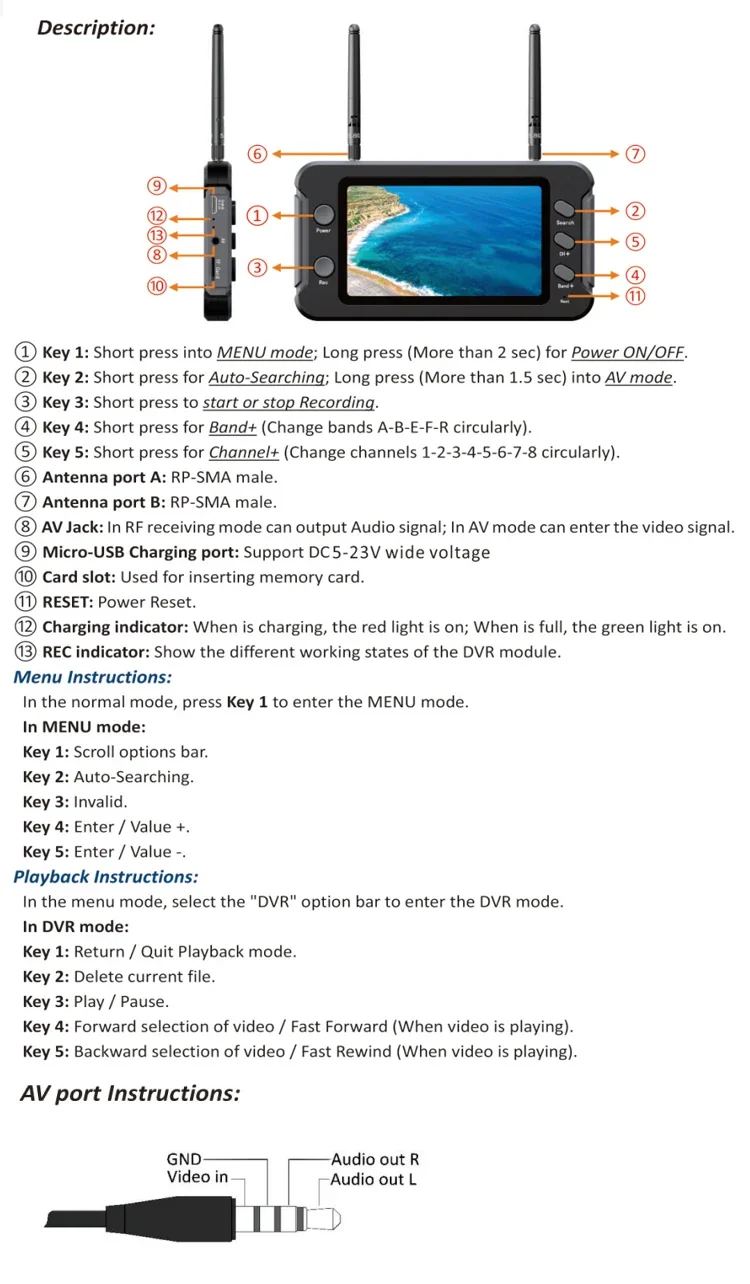
Key Description:
1. Power: Short press to enter the menu bar, long press for 2 seconds to turn on/off.
2. Search: Short press to enter automatic search, long press for 1.5 seconds to enter the AV interface.
3. Rec: Short press to start recording, then short press to close recording
4. Band+: Short press to enter the frequency point (A-B-E-F-R frequency point cyclically switch)
5. CH+: Short press to enter the frequency band (1-2-3-4-5-6-7-8 frequency band cyclically switch)
6. Antenna A port: inner needle
7. Antenna B port: inner needle
8. AV: Support video input and audio output.
9. DC/5-23V: Micro-USB charging, support DC5-23V wide voltage.
10. TF CARD: TF card slot
11. RESET: Reset button
12. Charging indicator: when charging, the red light is on, when the battery is full, the green light is on
13. Video indicator: display the different working status of the dvr module
Menu command:
In the standby state, short press Power to enter the menu bar.
In the menu bar mode:
Button 1: Scrollable options.
Button 2: Automatically search for channels
Button 3: invalid
Button 4: Turn up the sound
Button 5: Turn down the sound
Playback instructions:
In the menu bar mode, select the DVR option bar to enter the DVR mode.
In DVR mode
Button 1: return/exit playback mode
Button 2: Delete the current file
Button 3: Play/Pause
Button 4: Select video forward/Adjustable fast forward when playing video
Button 5: Select video backward/Adjustable rewind when playing video
DVR recording
Features:
Low power consumption
One-click automatic channel search
Can record anytime and anywhere
Dual antenna reception can make the signal more stable
4.3 inch 800*480 high-definition bright screen
Built-in super sensitive 5.8G 40 channel receiver
Built-in 3.7V/1200mAh high-capacity polymer lithium battery
Universal usb charging interface
Real-time video, low latency
Chinese and English bilingual menu
Support audio and video input
Expenditure audio output (headphones can be connected)
Support 5-23V wide voltage charging
Specification:
LCD screen size: 4.3 inches
Resolution: 800*480
Display ratio: 16:9
Viewing angle: full screen
Brightness: 500cd/m2
Video delay: less than 20ms
Interface Antenna: 2*RP-SMA male hole
USB: charging cable
AV interface: external audio and video input or audio output
Card slot: Support C10 high speed TF card
DVR recording size: VGA/D1/HD (three modes are optional)
Video sound: on/off (optional)
Recording time: off/3 minutes/5 minutes/10 minutes (optional)
Frame rate: 30 frames
Compression format: MJPEG
Video file format: AVI
Languages: English and Chinese
Power supply Power adapter: DC5V/2A, support DV5-23V wide voltage
Battery: 3.7V/1200mAh,
After the DVR starts, it can be used for about 2.5 hours on full battery
DVR is off, about 3.5 hours with full battery
Power consumption:
Normal mode: the device works at 3.7V and the current is 400mA
Recording mode: The working current of the device is 620mA at 3.7V
The maximum charging current of the built-in battery is 500mA
Wireless channel table
Body size: 146*80*13mm
Weight: 159g (not including antenna)
Note: video input cannot be recorded from the AV port
Key Description:
1. Power: Short press to enter the menu bar, long press for 2 seconds to turn on/off.
2. Search: Short press to enter automatic search, long press for 1.5 seconds to enter the AV interface.
3. Rec: Short press to start recording, then short press to close recording
4. Band+: Short press to enter the frequency point (A-B-E-F-R frequency point cyclically switch)
5. CH+: Short press to enter the frequency band (1-2-3-4-5-6-7-8 frequency band cyclically switch)
6. Antenna A port: inner needle
7. Antenna B port: inner needle
8. AV: Support video input and audio output.
9. DC/5-23V: Micro-USB charging, support DC5-23V wide voltage.
10. TF CARD: TF card slot
11. RESET: Reset button
12. Charging indicator: when charging, the red light is on, when the battery is full, the green light is on
13. Video indicator: display the different working status of the dvr module
Menu command:
In the standby state, short press Power to enter the menu bar.
In the menu bar mode:
Button 1: Scrollable options.
Button 2: Automatically search for channels
Button 3: invalid
Button 4: Turn up the sound
Button 5: Turn down the sound
Playback instructions:
In the menu bar mode, select the DVR option bar to enter the DVR mode.
In DVR mode
Button 1: return/exit playback mode
Button 2: Delete the current file
Button 3: Play/Pause
Button 4: Select video forward/Adjustable fast forward when playing video
Button 5: Select video backward/Adjustable rewind when playing video