Specifications
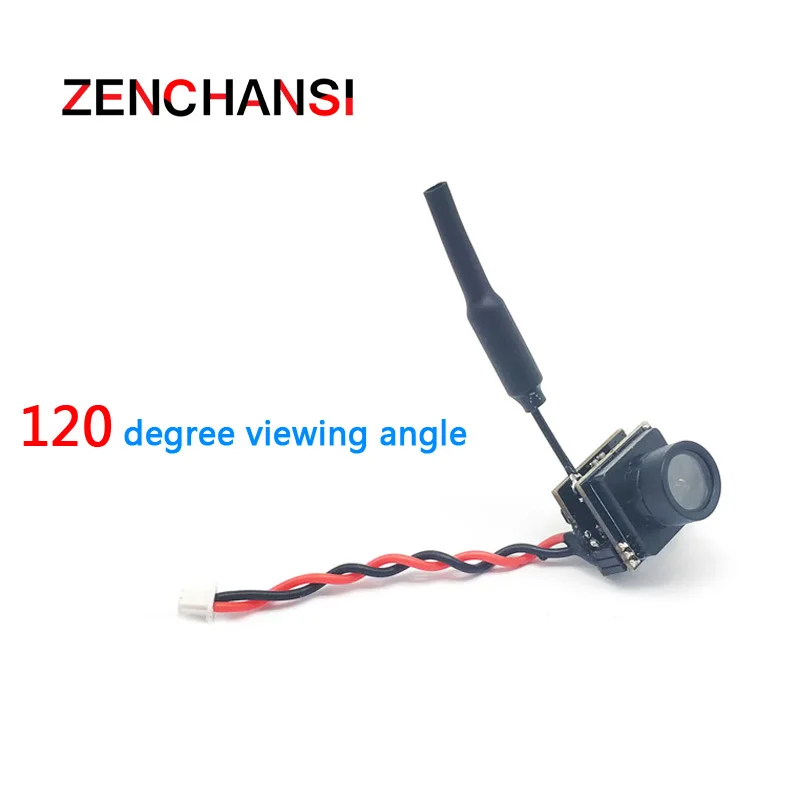
Model:701U AIO FPV VTX Camera
nFrequency: 5.8G 48CH
nTransmitting Power:25mW
nDC5V(2.5V-5.5V)
nCurrent(5v):220mA(25mW)
nCamera Resolution: 600TVL
nVideo system:PAL
nField of view: 120 degree
viewing angle
nSuper mini size and light
weight
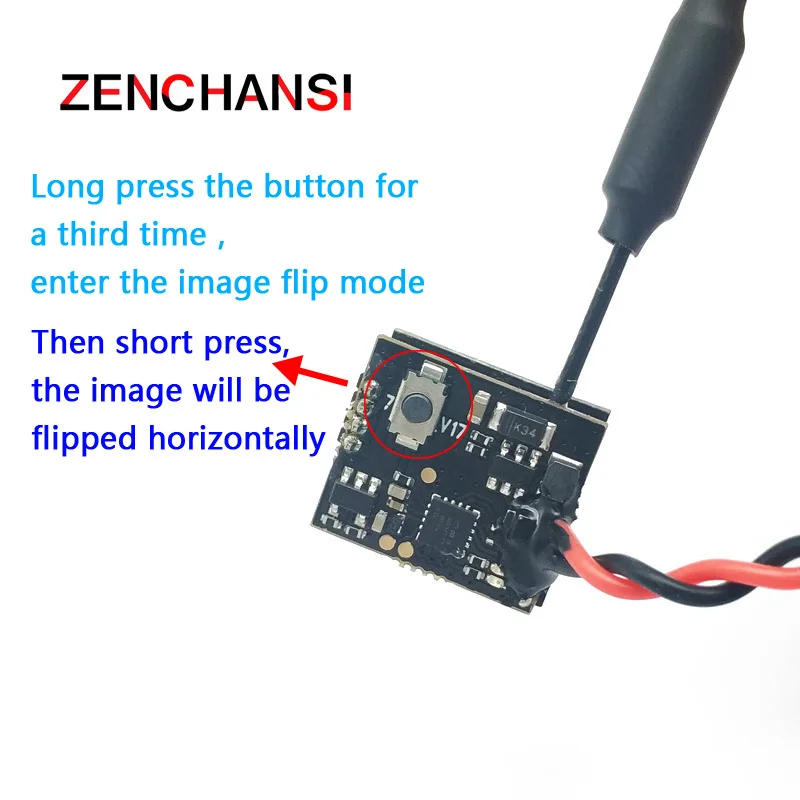
nSupport image flip function
n2 LED lights, 1 button
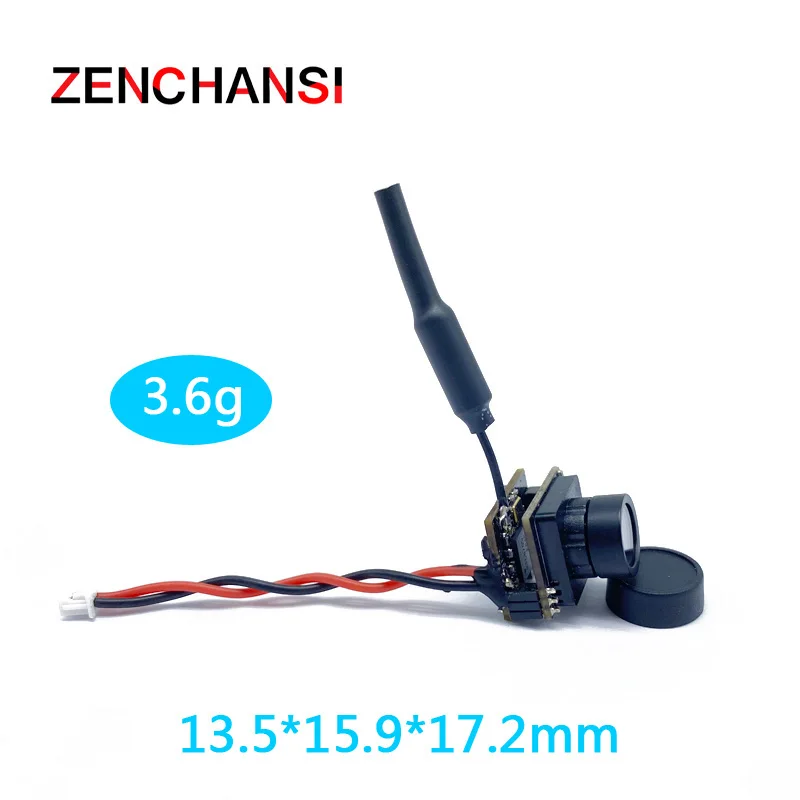
nStandard size: 13.5*15.9*17.2mm
nWeight: 3.6g
Package Included:
1 X 701U AIO FPV Camera
User Guide
1.LED
indication
nThe red LED indicates the state of working
mode or the item when setting the VTX(flashing 1 time means selecting the
channels, flashing 2 times means selecting the bands, flashing 3 times means
selecting the image flip).
nThe blue LED indicates the value of item
when setting the VTX( e.g. when selecting the channels, 3 times of flashing
means channel 3. When selectingbands, 3
times of flashing means band C.As for the item of the image flip, 2 times of flashing
means the vertical picture reversal. )
2.Working
mode indication
nAfter powering
up, the red & blue LEDs will signal the following three items of VTX in
turn: channel, bandl, image
flip. (the flashing times of the red
and blue LEDs indicate the item and the value respectively). After that, the
LEDs indicate the working modes.
nNormal: The red
& blue LED are on.
3.Setting
nPress and hold the button until the red LED flash 1
time which means the item of
channel selecting, then press the button can select the channels(blue LED flashing times corresponds to the channel 1-8).
nPress and hold the button again,the red LED will
flash 2 times which means the
item of band selecting, then press the button can select the band(blue LED flashing times corresponds to the band A-F).
nPress and hold the button again,the red LED will
flash 3 times which means the
item of image flip selecting, then press the button can select the vertical
picture reversal .
nFinally,
press and hold the button, save and exit the setting of VTX(This step is
essential for setting).
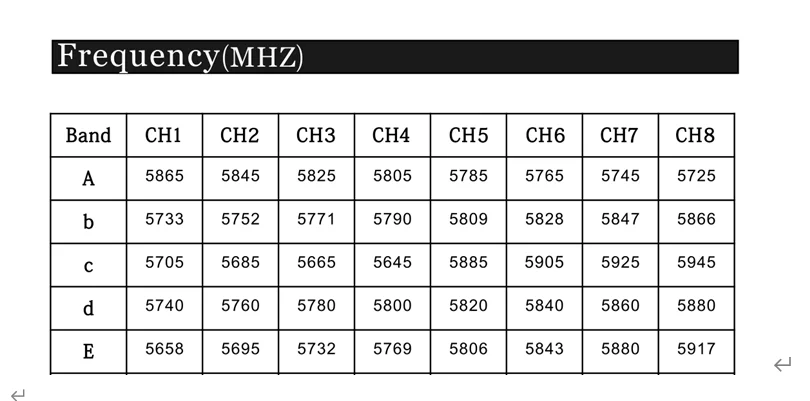
Frequency(Mhz)
Note:
1.Make sure that there is enough space for airflow when installing the moduleon the drone .
2. Please install the antenna before powering up for a
longer use life.